There are three types of FedLearn courses:
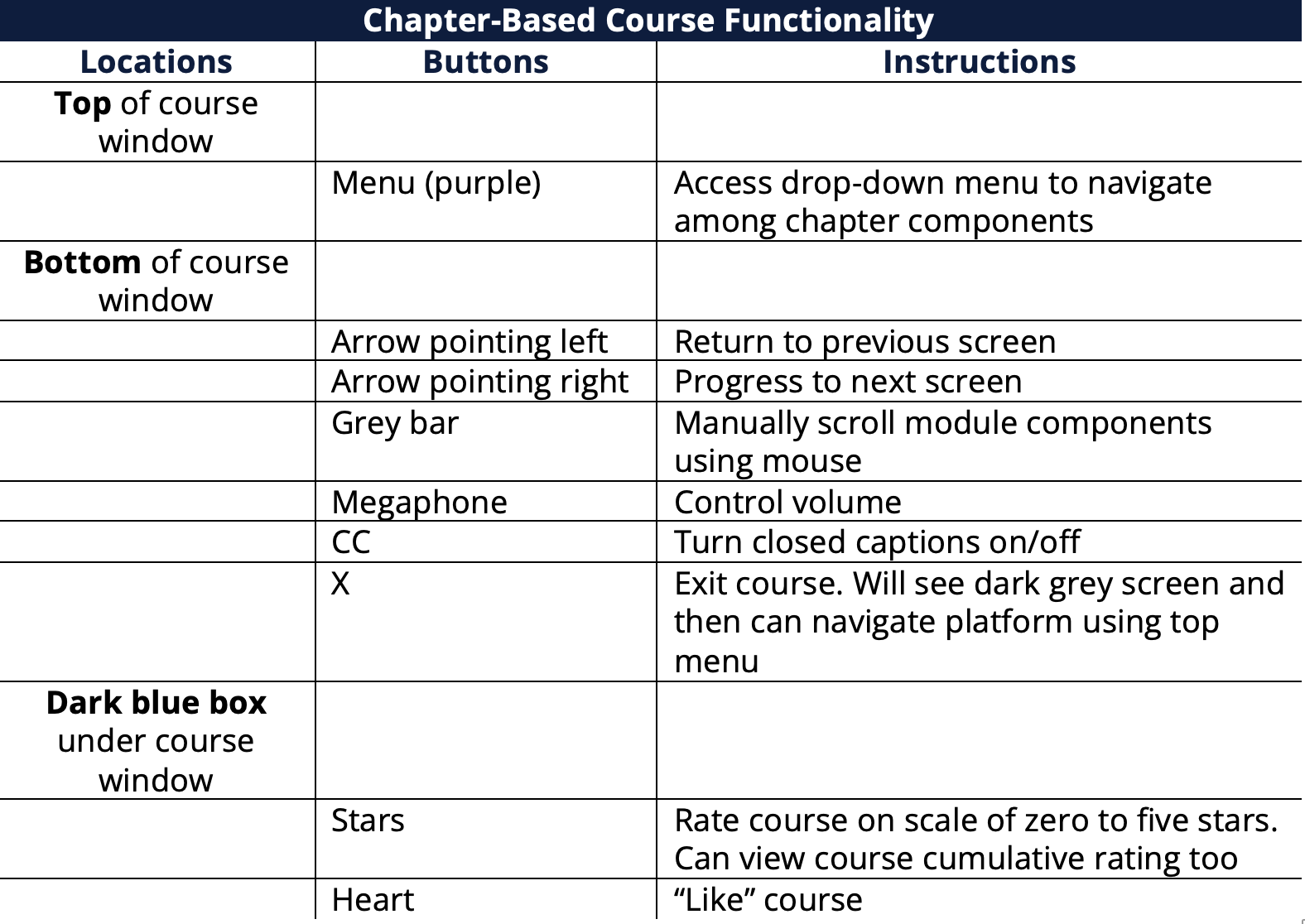
- Chapter-based courses – Comprised of more than one chapter (lesson) or module. Each chapter is a separate file.
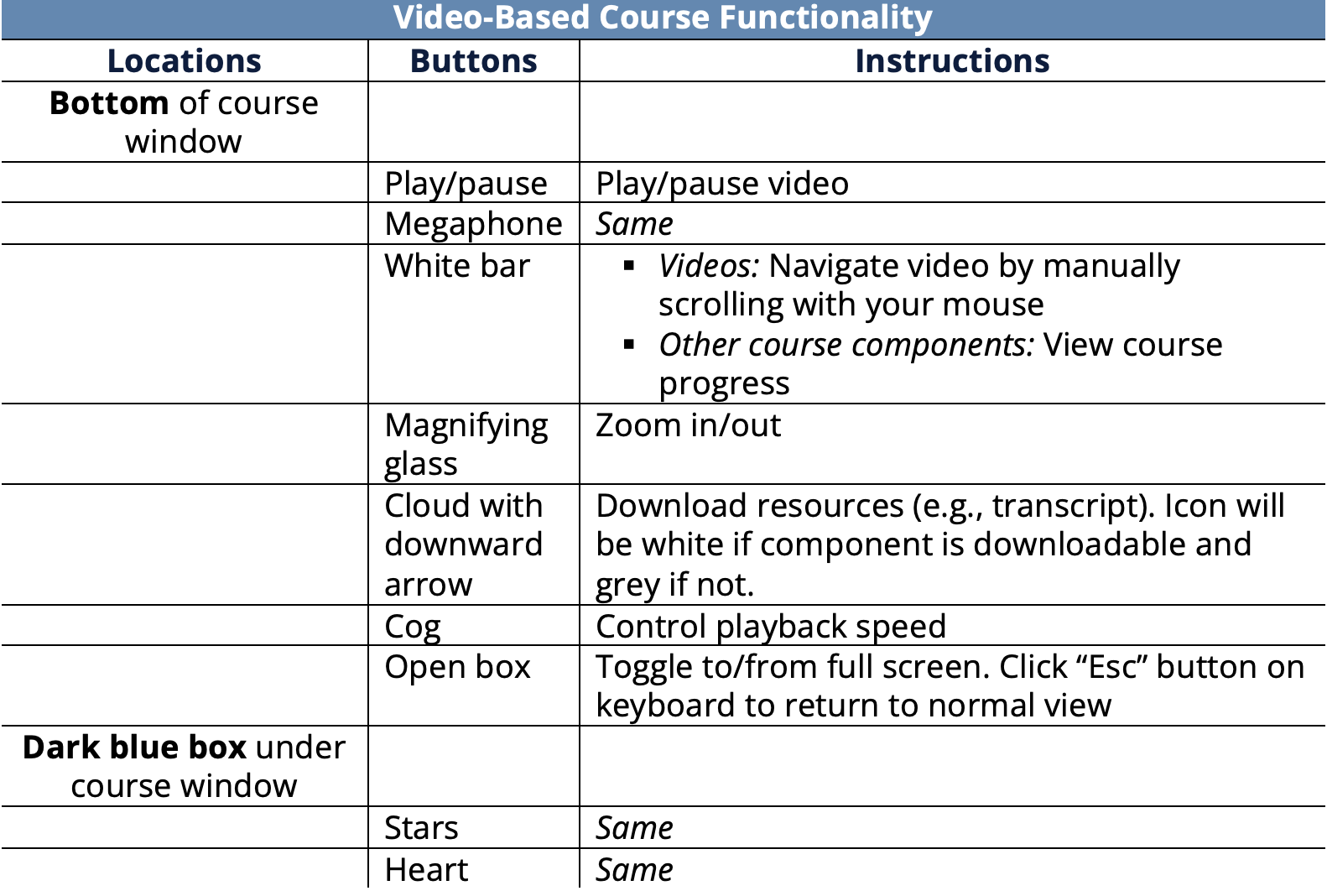
- Video-based courses – Course components (e.g., videos, assessments and virtual activities) are separate files.
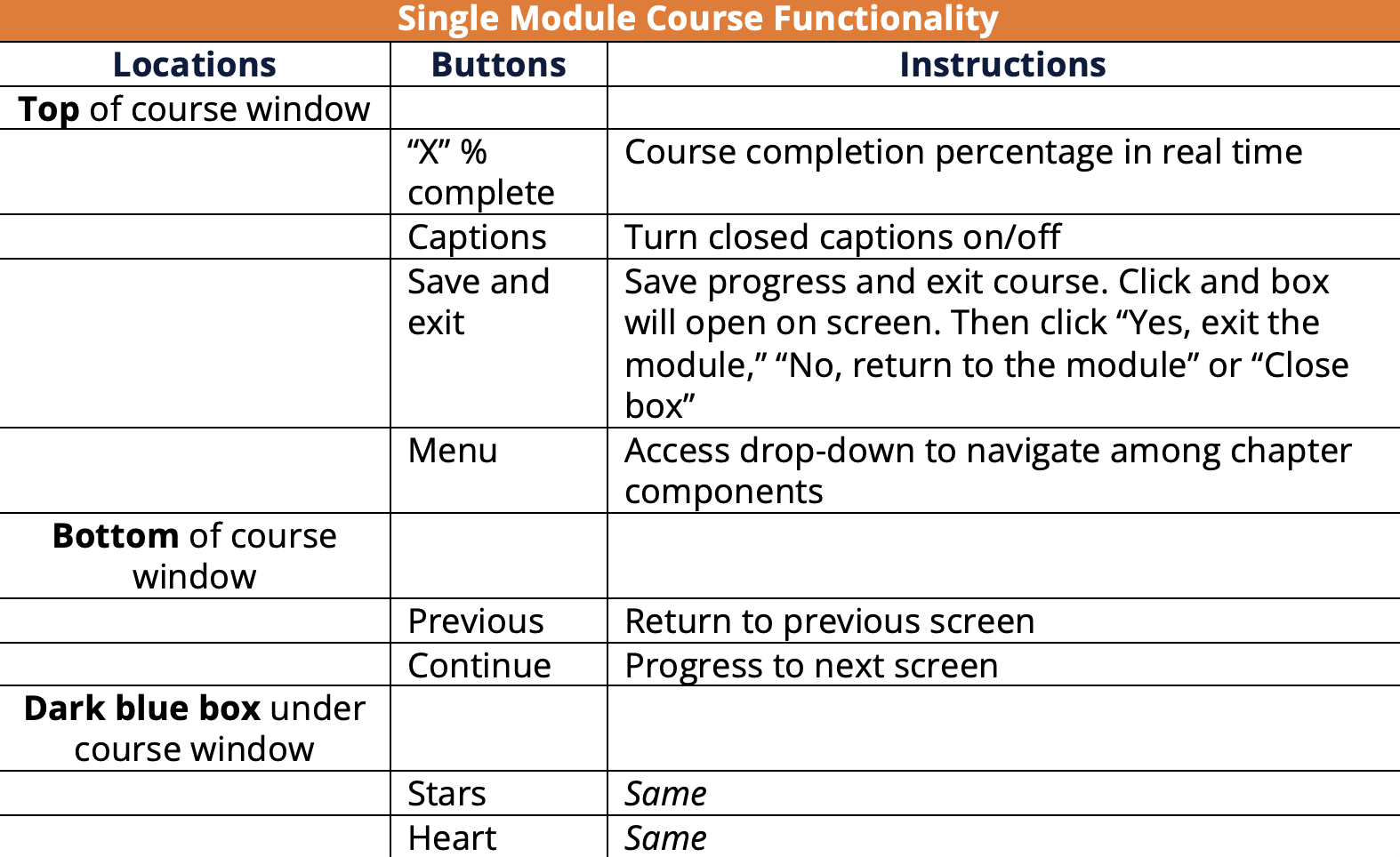
- Single-module courses – Made up of one module. Entire course is a single file.
Important! If you click the large arrow on the far right of the screen while taking any type of course and are pushed to another screen with text stating you have reached the end of the course, click the large left arrow to return to the course
The experiences of navigating the different types of courses are similar. However, there are some key differences to note
Chapter-Based Courses
- Click large grey arrow in center of screen to launch each chapter
- Use large arrows at far right and left of screen to move among chapters
- View chapter-based course functionality table
Video-Based Courses
- Access same way as chapter courses and click arrow at far left of bottom menu (under video screen) to begin/play first video
- Navigation of video courses is same as chapter courses. Use large arrows at far right and left of screen to move among different course components
- View video-based course functionality table
Single Module Courses
- Access same way as chapter courses and click “Start course” button to begin
- View single module course functionality table